GuestEM Sales & Catering

Every detail planned. Every team prepared.

Bring event sales, catering plans, guest room blocks, contracts, and follow-up together—so your team knows what’s been promised and what needs to happen next.

Part of GuestEM, the collection of hospitality tools built on SMBcrm.

Event salesFunction planningRoom blocks

One shared plan

A great event takes more than a booking.

It takes a sales team that remembers the conversation, a clear plan for the day, and staff who know when to set up, serve, and clear the room.

GuestEM Sales & Catering keeps those details together. From a private dinner to a multi-day group retreat, give your team a shared plan they can use from the first conversation through event day.

Remember the conversation Plan the full day Prepare every team

From first conversation through event day

Keep the promise clear.
Make the plan practical.

01

Customer context and follow-up

Pick up every conversation with context.

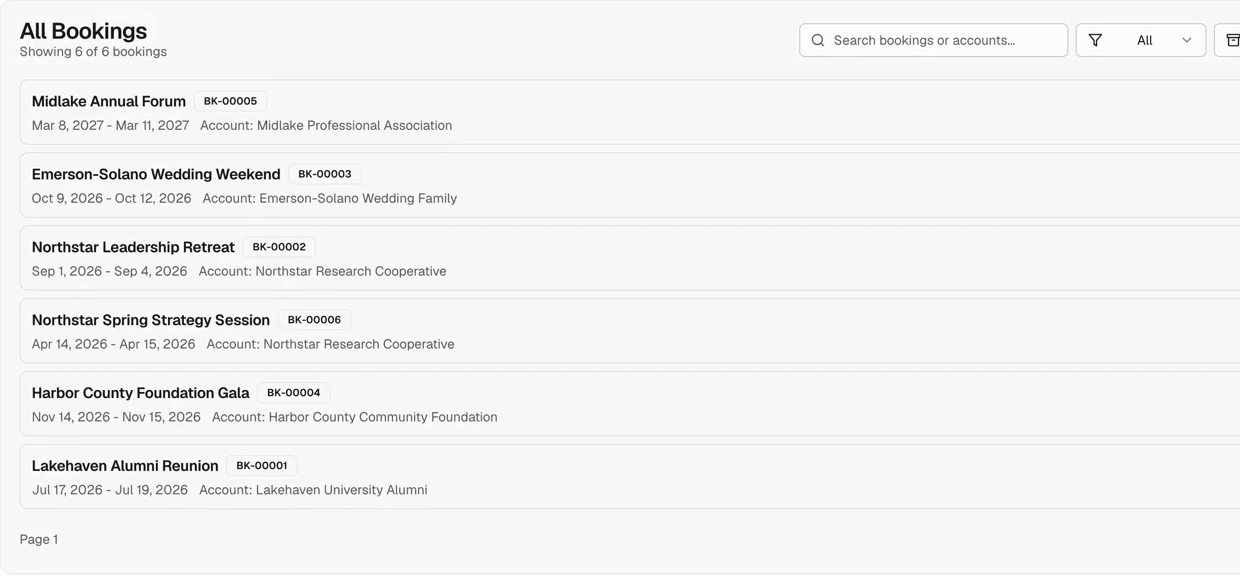
Keep company and contact details, related bookings, and customer notes together. See who you’re working with, what they’ve requested, and what your team has already discussed.

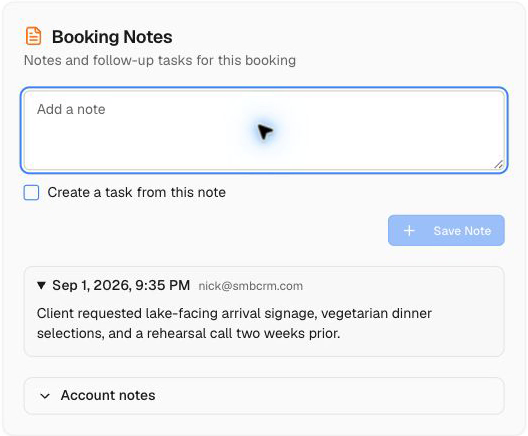
Add notes to the customer account, a specific booking, or an individual event, so the right information is easy to find when someone needs it.

Give the next step a date and an owner.

Turn account or booking notes into follow-up tasks. Choose who is responsible and when the task is due—whether it’s confirming banquet guarantees, checking a menu choice, or arranging a planning call.

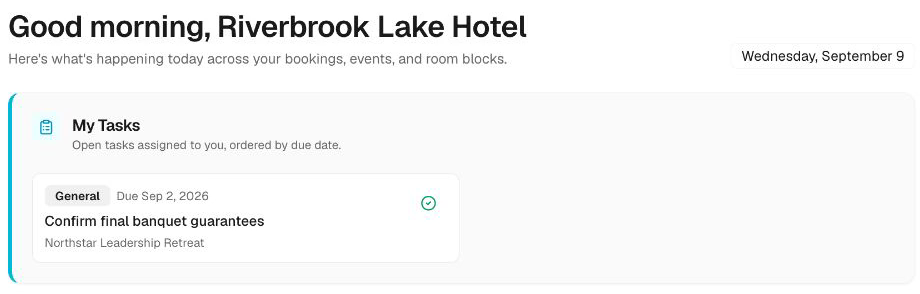
Assigned tasks appear on the dashboard, with due reminders in the notification bell. Your team can see what needs attention as they work.
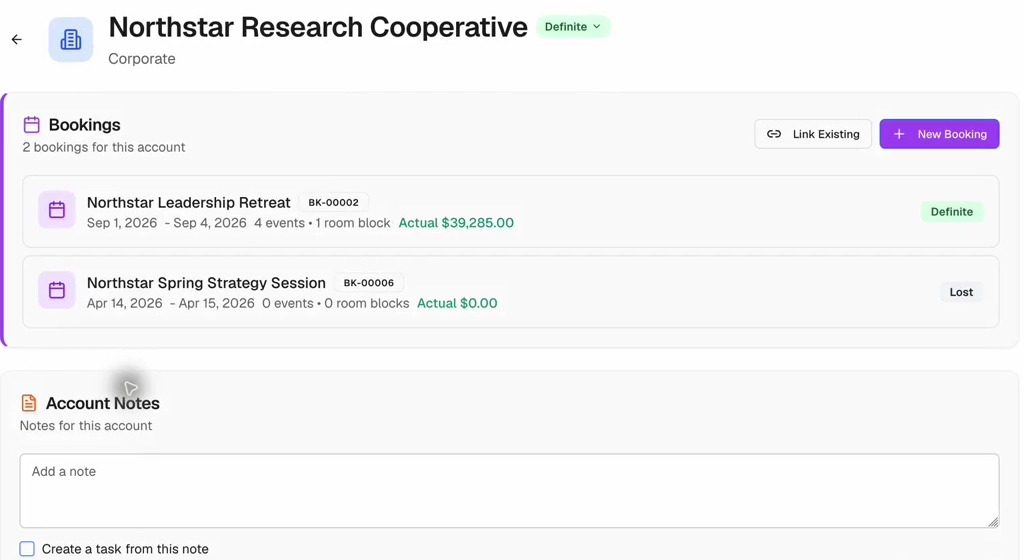
Customer account showing related bookings and account notes.
Customer account
Booking notes with a saved customer request and the option to create a follow-up task.
Booking notes
Dashboard task reminding staff to confirm final banquet guarantees.
Assigned follow-up
02

The complete event plan

Plan the whole booking, one event at a time.

Keep the welcome reception, meeting sessions, private dinners, and other events together within the same booking.

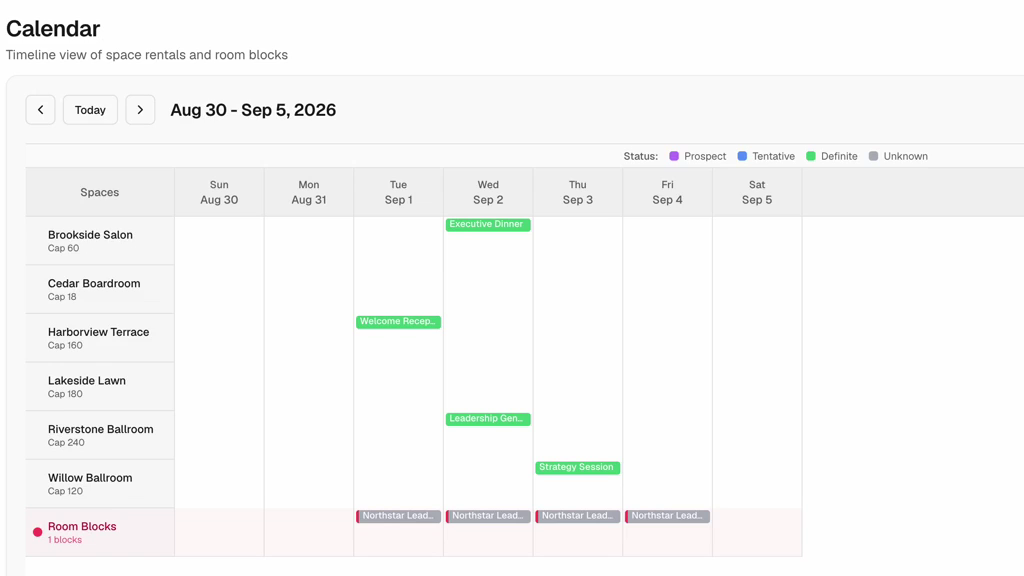
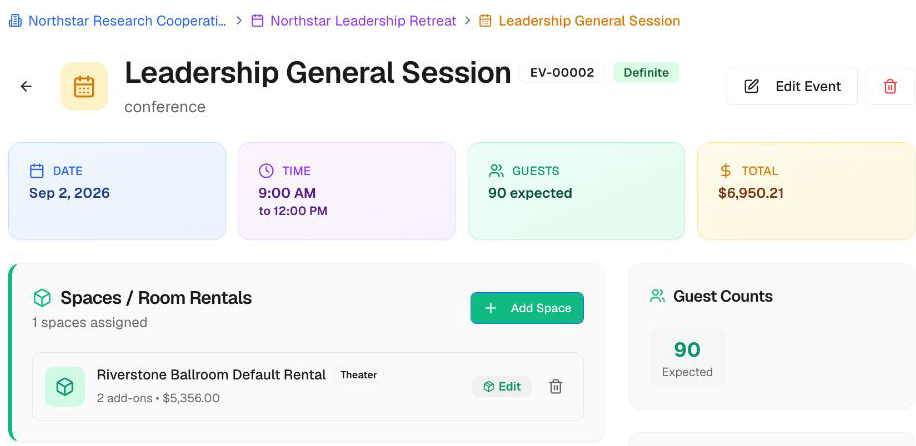
Give each event its own schedule, meeting space, room setup, expected attendance, guaranteed guest count, and instructions. Use the calendar to see when and where events are taking place across the property.

Show the team what to serve—and when.

Add multiple products and services to an event, each with its own quantity, notes, serving start time, and optional end time.

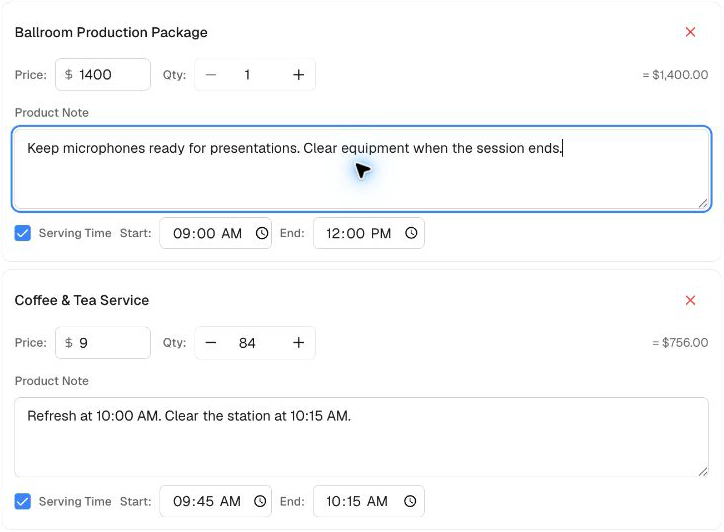
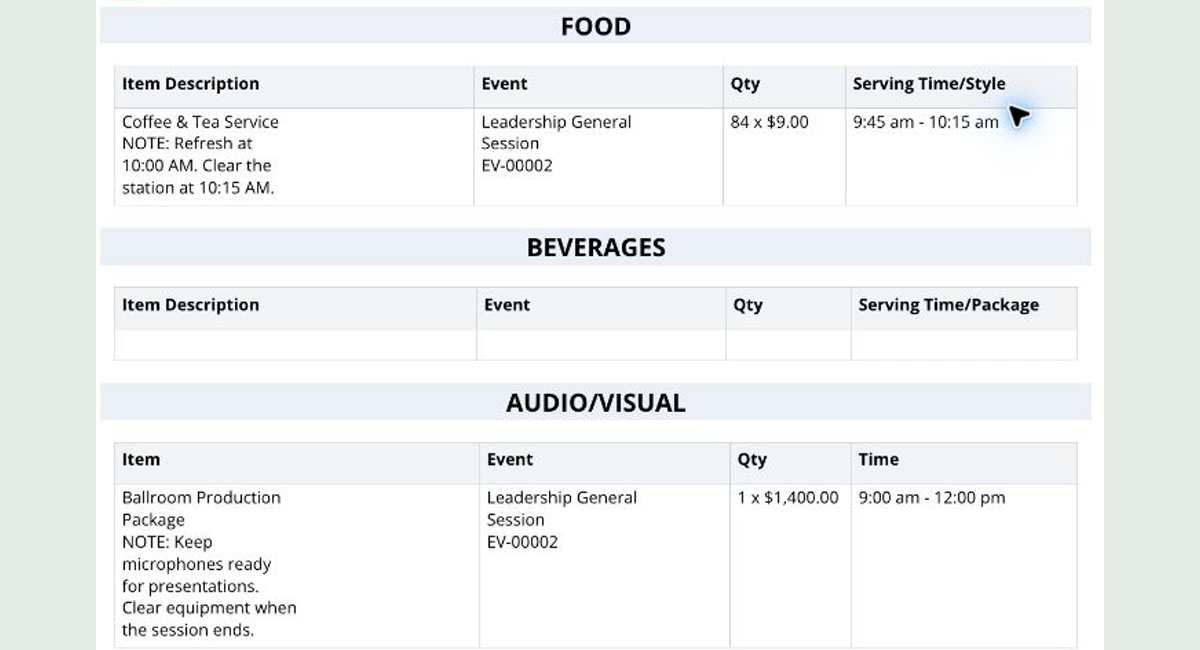
A meeting might need presentation equipment from 9:00 to noon, with coffee available from 9:45 to 10:15. Add instructions to refresh the coffee at 10:00 or clear equipment when the session ends.

Those product notes and time windows can populate your configured banquet event order template alongside the selected event details, so staff can see what needs to happen throughout the day.

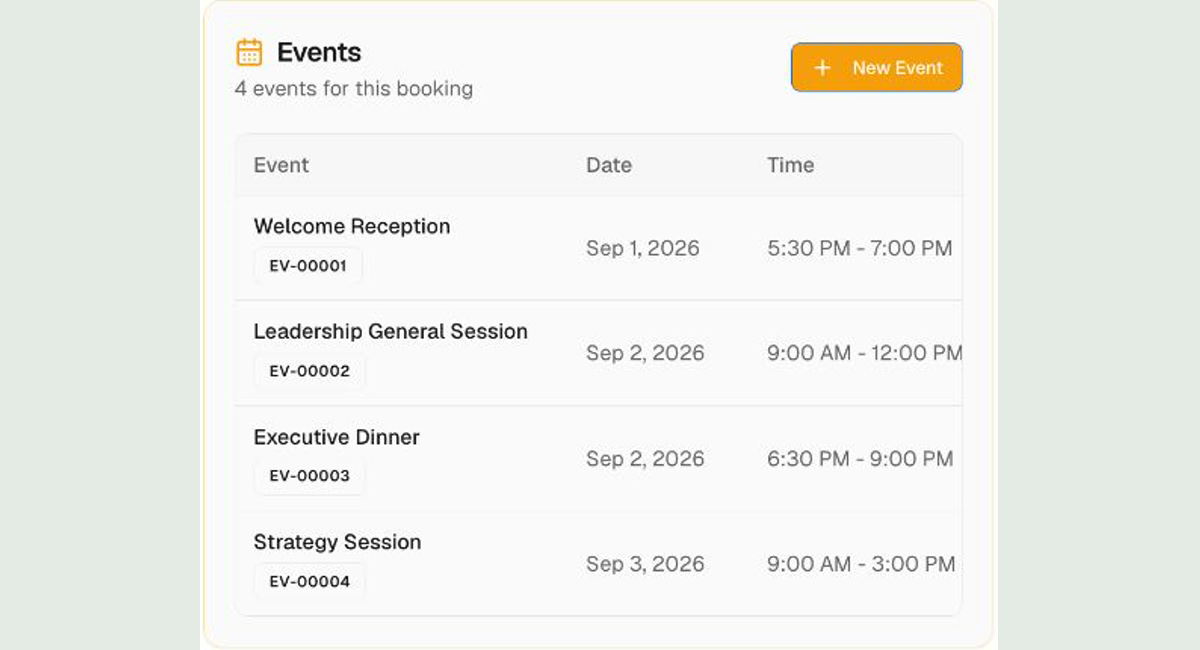
Four scheduled events within the Northstar Leadership Retreat booking.
Booking program
Presentation equipment and coffee service with individual notes and serving time windows.
Products and serving times
Event calendar showing scheduled functions across hotel meeting spaces.
Property calendar
03

Group rooms in the same plan

Keep the overnight stay beside the event plan.

Manage group room blocks alongside the group’s events. Keep stay dates, room types, rates, and nightly room counts in view.

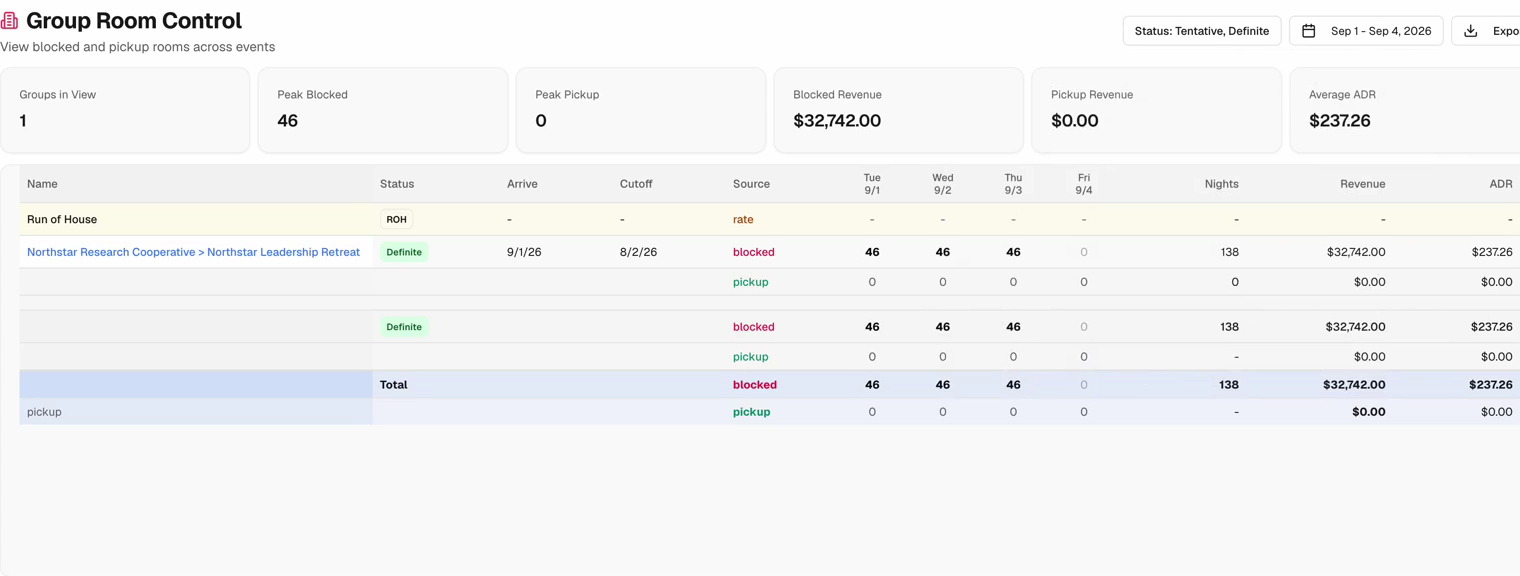
Group Room Control helps your team review blocked rooms, room nights, and pickup, with a clear distinction between rooms set aside and rooms picked up.

Group Room Control showing room types, nightly blocks, room nights, and pickup.
Group Room Control
04

Documents and daily preparation

Build the BEO from the details you’ve already entered.

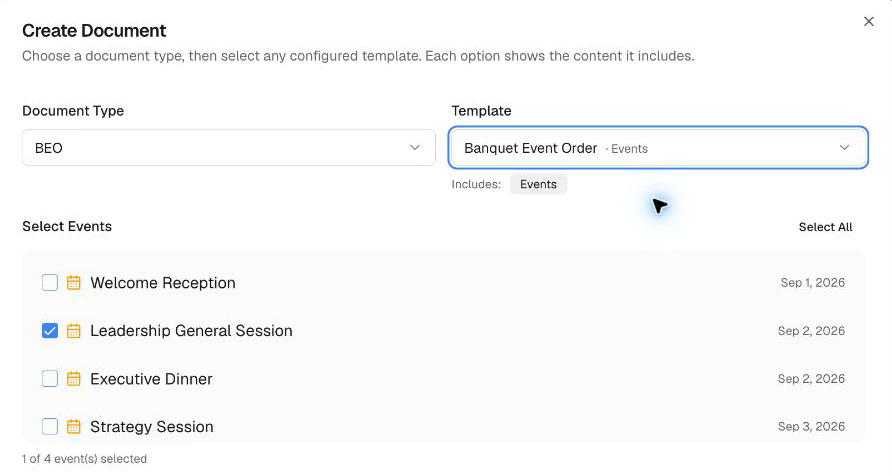
Create a document directly from a booking. Choose your Banquet Event Order template and the events you want to include.

The system fills the configured template with available customer, booking, and selected event details—including guest counts, products, serving times, and notes—so your team can review and complete the draft with less retyping.

Give the hotel team a practical event order built from the same plan sales has been working on.

Prepare the agreement. Send it for signature.

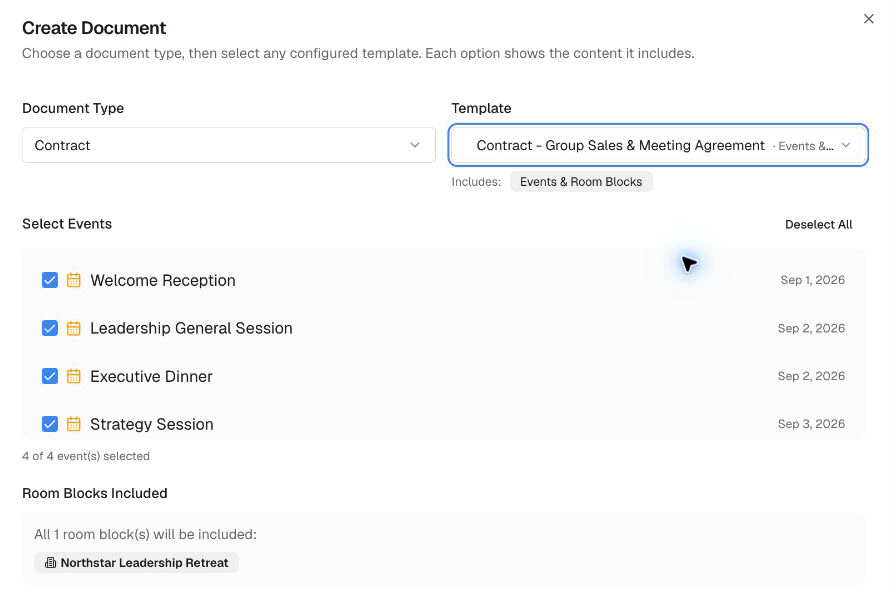
Create a customer contract from your document templates, such as a Group Sales and Meeting Agreement or a Meeting Space Only agreement. Bring in available booking details, select the relevant events and room blocks, and review the terms before sending.

Continue in SMBcrm’s built-in document editor to set up recipients and signing fields, send the agreement, and collect electronic signatures.

Keep the day’s work in view.

Use booking views, calendars, and Daily Events reports to prepare for team meetings, review upcoming activity, and coordinate work across sales and operations.

Maintain a catalog of the products and services your property offers, making it easier to build the next event plan from familiar options.

Booking document setup with the Banquet Event Order template and a selected event.
BEO creation
Banquet event order showing coffee and audiovisual instructions, quantities, and serving times.
BEO service details
Contract setup using the Group Sales and Meeting Agreement template with four events and a room block.
Contract creation

Product walkthrough

See the plan come together.

Follow a sample hotel retreat from customer details and follow-up tasks to event schedules, catering instructions, a banquet event order, and a customer contract.

Featuring a fictional hotel and sample event data.
GuestEM walkthrough04:25

Part of GuestEM

Event planning is part of the guest experience.

GuestEM stands for Guest Experience Manager: a collection of tools built on SMBcrm specifically for hospitality.

Sales & Catering brings event sales and planning into that collection, alongside tools for guest communications, guest profiles, marketing, and reputation management.

Because the experience begins before a guest arrives—and the details behind the scenes shape what they remember.

Explore GuestEM

Ready for the next event

Give your next event
a clear plan.

See how GuestEM can help your team organize the business, prepare the paperwork, and deliver the details.

Book a private demo